The Real Question
Fabric doesn't replace Power BI. It resolves the problems that start to appear around it.
You build a report. Then another report needs the same data. Someone needs a shared dimension. Transformations start getting repeated. Refreshes need to happen in a certain order. One process finishes before another. Eventually more time is being spent rebuilding, coordinating and maintaining the reporting estate than improving the reports.
That's where Fabric starts to make sense. But that doesn't mean everybody using Power BI suddenly needs Fabric. Quite the opposite. If all you're doing is building reports and semantic models, and they're working perfectly well, Power BI may be all you need.
The question is where that starts to change.
Reason One
You're rebuilding the same transformations.
A lot of work in Power BI happens in Power Query. Connecting to a data source. Cleaning the data. Changing data types. Renaming columns. Merging queries. Editing M code. There's nothing inherently wrong with that. Power Query is very good at letting you retrace the transformation steps you've applied.
The problem starts when the same logic gets rebuilt repeatedly. Imagine you've cleaned your customer data for one report. You fix the data types, standardise a few columns, apply some business logic, and get it exactly how you want it. Then another report needs customer data. So you do it again. Then another. Six months later somebody changes one of those business rules, and now you're trying to work out how many different versions of that transformation exist.
The problem isn't Power Query. The problem is where you've put the logic.
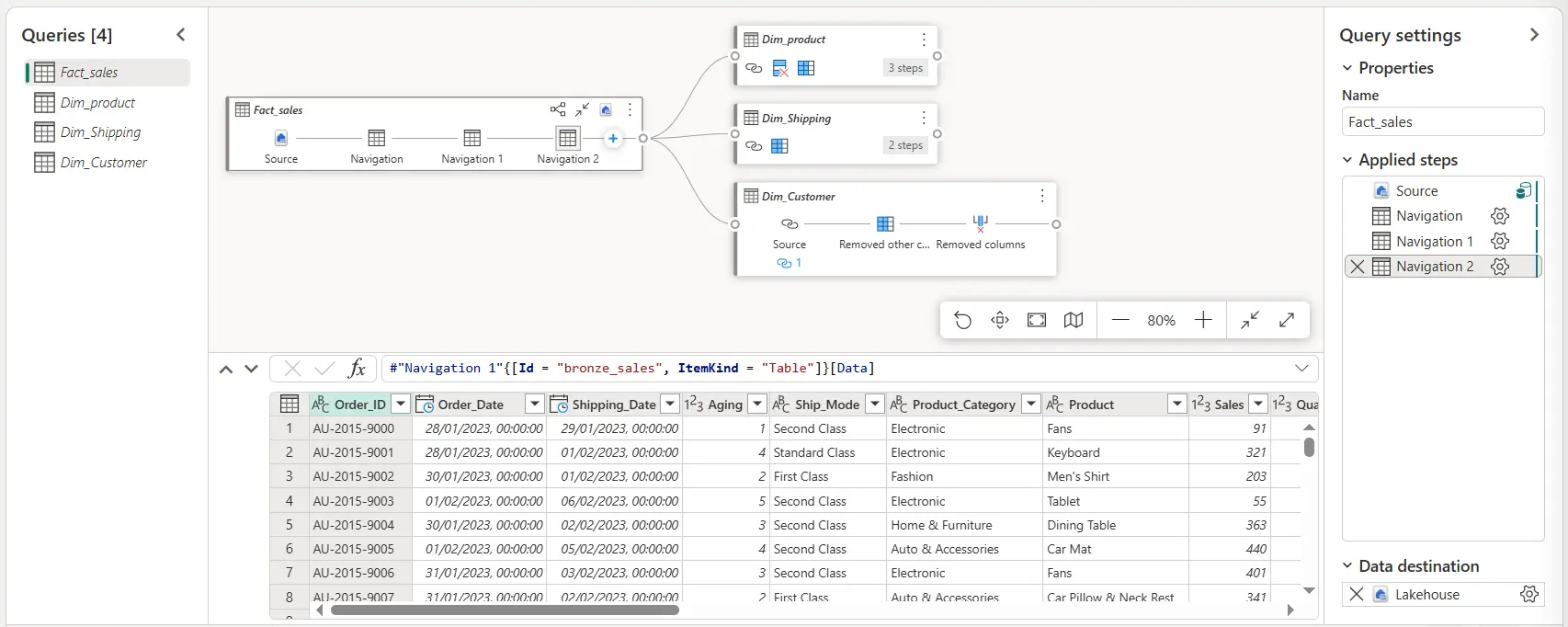
This is where Dataflows start to make sense. Dataflows let you move those transformations upstream, rather than embedding another version inside every reporting solution. Dataflow Gen2 still uses the familiar Power Query experience, but the transformed result can land in a Fabric Lakehouse or Warehouse.
So instead of:
- Source → Power Query → Report A
- Source → Power Query → Report B
- Source → Power Query → Report C
you can start thinking more like:
- Source → Dataflow → reusable transformed data → Reports
Transform it once. Land it somewhere useful. Let downstream solutions consume it. You're not replacing Power Query. You're stopping every report from owning its own copy of the same logic.
Reason Two
You're copying shared data just so something else can use it.
This problem can creep up quietly. You've already got a customer dimension. Another solution needs it, so you copy it across. Then another team needs it. Another copy. Eventually you don't really have one customer dimension anymore. You have three things that were the same customer dimension on the day they were copied.
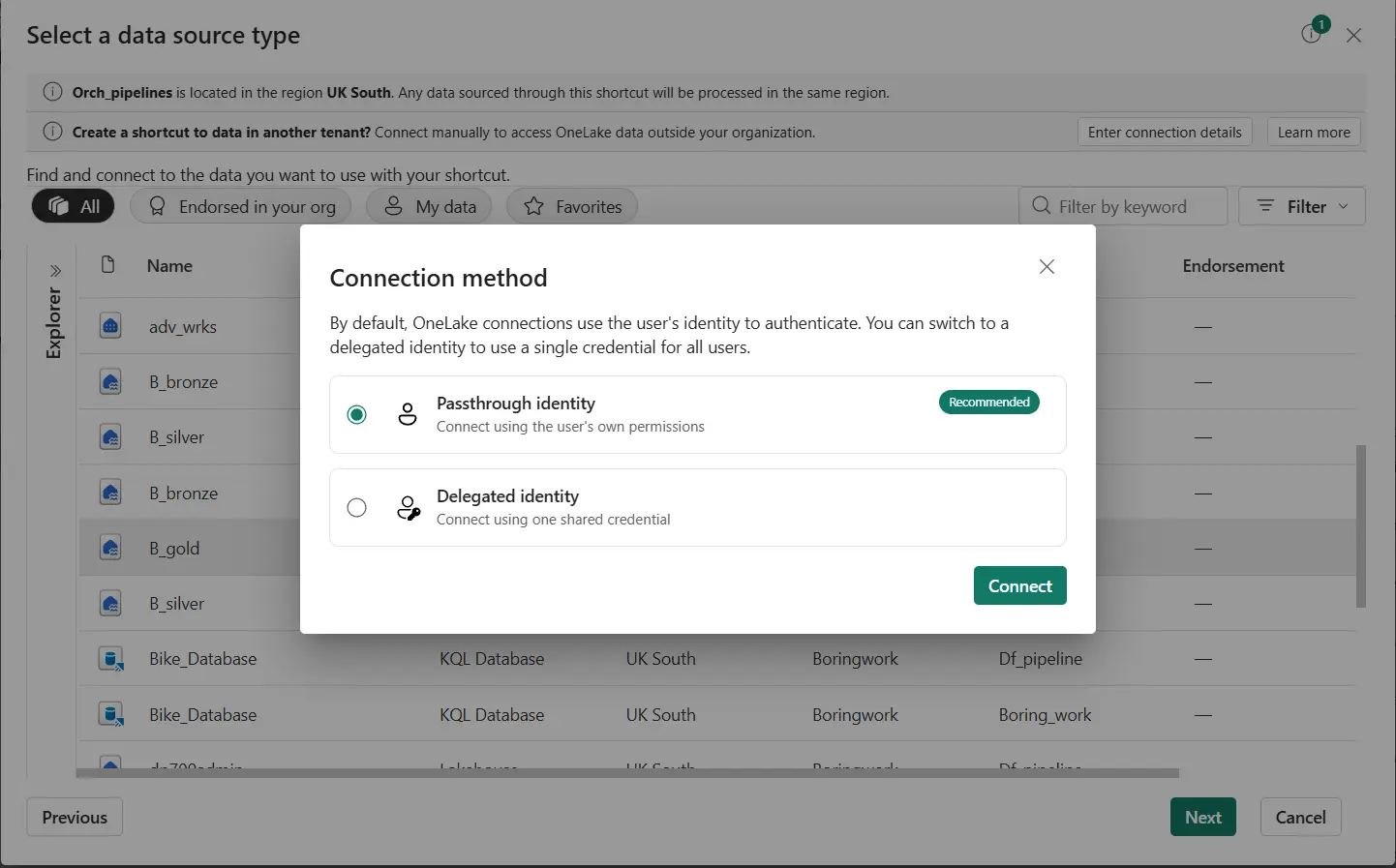
This is where OneLake shortcuts become interesting. A shortcut points to data in another storage location, rather than requiring another copy.
Microsoft describes it as working a bit like a symbolic link. It can reference data both inside and outside OneLake.
See Microsoft's own explanation of the mechanism: OneLake shortcuts overview, Microsoft Learn.Therefore, if the data already exists somewhere useful, the answer doesn't automatically have to be move it, copy it, maintain another version. Sometimes the better answer is simply to reference it.
There is a catch. A shortcut still points somewhere. If its target is moved, renamed, or deleted, the shortcut breaks. Shortcuts don't magically remove data management. They solve a particular problem: the data already exists, and you need to use it elsewhere without creating another unnecessary copy.
Reason Three
Your transformations have outgrown what belongs in Power Query.
Dataflows aren't the answer to every transformation problem either. Sometimes transformations get complicated. Sometimes the data volume grows. Sometimes a low-code interface simply stops being the sensible approach.
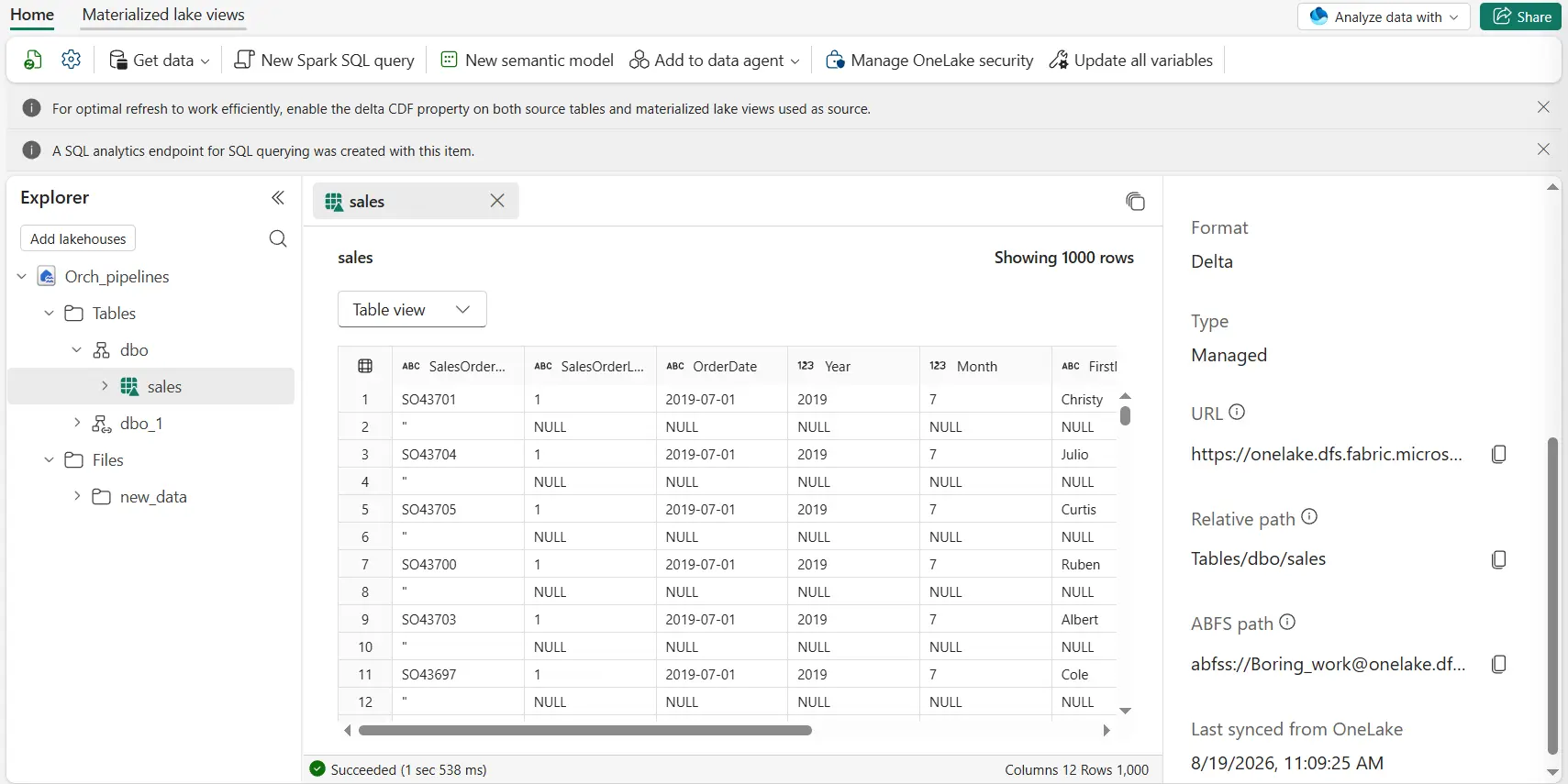
This is where notebooks give you another option. Fabric notebooks are built for code-based data engineering and data science work, using Spark. They handle raw formats like CSV and JSON as well as parquet and Delta. For a team already comfortable with SQL, or willing to move further into code, notebooks open a route for transformations that are becoming awkward elsewhere.
That doesn't mean notebooks are better than Dataflows. They solve different problems:
| Tool | The problem it solves |
|---|---|
| Dataflow | Reusable transformations, where Power Query is a sensible way to express them. |
| Shortcut | The data already exists; you need to reuse it, not transform or duplicate it. |
| Notebook | The transformation has reached the point where the flexibility of code and Spark is worth it. |
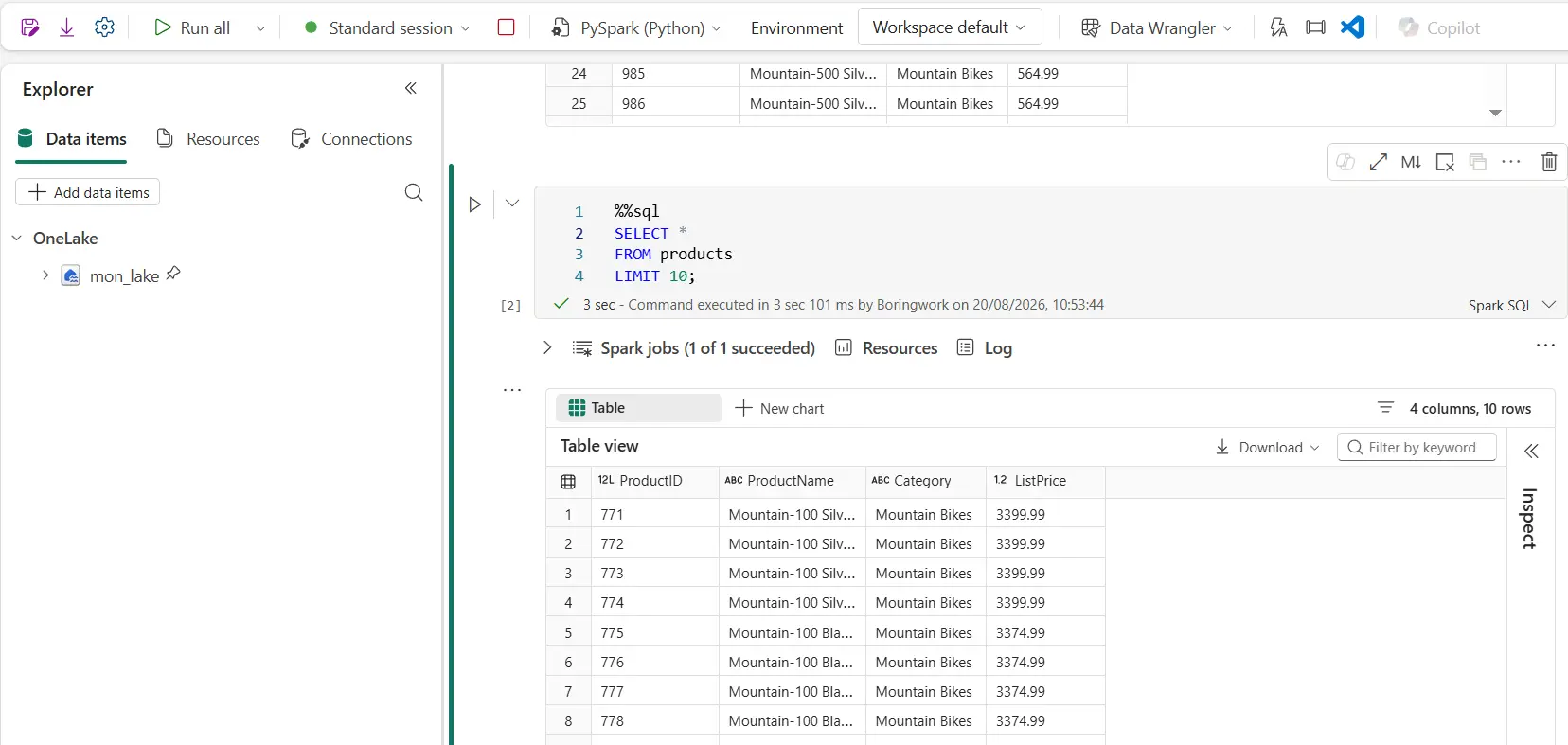
Importantly, these can all work independently. You don't need to adopt every part of Fabric just because one of them solves a problem you have.
Reason Four
Your refresh schedules are becoming part of the problem.
This is probably where the argument for Fabric becomes easiest to see. Say a Dataflow is preparing part of the data. A notebook is doing another transformation. Then there's the semantic model. They don't all finish at the same time. The semantic model shouldn't refresh while the notebook is still running. The notebook shouldn't run against data the Dataflow hasn't finished preparing yet.
You could give everything its own schedule. Dataflow at 5:00. Notebook at 5:30. Semantic model at 6:00. And maybe that works, until the Dataflow takes 35 minutes. Now the solution isn't controlled by dependencies. It's controlled by hope and a 30-minute gap in a schedule.
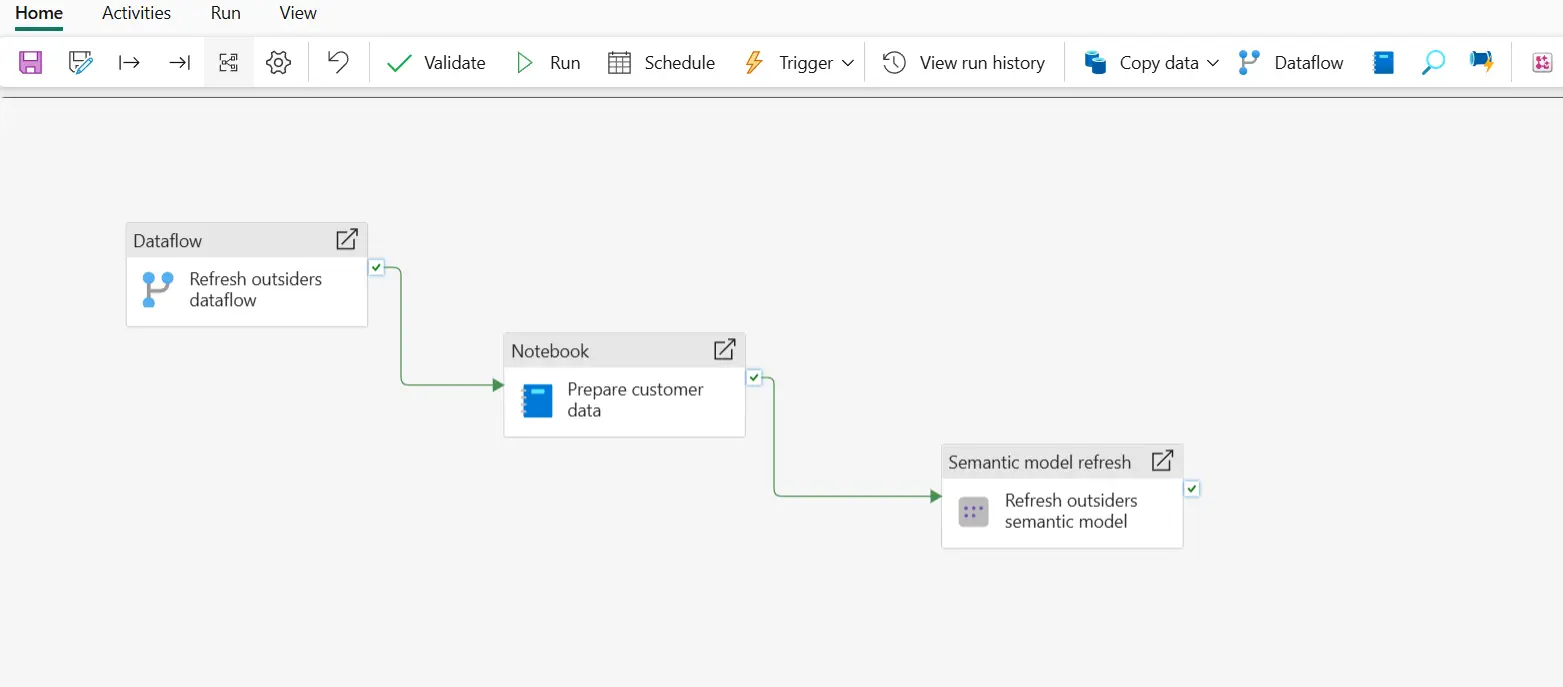
This is where pipelines come in. A pipeline groups activities into a workflow, rather than scheduling each one independently. Dataflow Gen2 is designed to work with pipelines, connecting multiple activities into a sequence. So instead of remembering three refresh schedules, the eventual pipeline can look remarkably boring:
- Dataflow → Notebook → Semantic model refresh
Boring is good. Three processes that could have had three separate schedules, and three separate opportunities for someone, six months from now, to ask "which one's supposed to run first?", become one controlled sequence. The pipeline owns that responsibility instead of a person having to remember it.
There's a second benefit that matters just as much. When something breaks, you can see exactly where. Three separately scheduled processes give you three places to go hunting when a report fails. Was it the Dataflow, the notebook, or the refresh itself? A pipeline shows you the failed activity directly and can be set up to send an email notification the moment it happens.
That turns "something's failed, better start searching" into "here's exactly where it broke." You're not spending the first twenty minutes finding the problem before you can even start fixing it.
So, Should You Use Fabric?
That really depends on where you're spending your time.
If all you do is build reports and semantic models, your transformations are manageable, your data is where you need it, and everything refreshes reliably. What problem are you trying to solve by adding Fabric? Having a Lakehouse doesn't automatically make your reporting architecture better. Power BI hasn't suddenly become inadequate because Fabric exists.
| What's actually happening | What it points to |
|---|---|
| The same cleanup logic gets rebuilt in every new report | A Dataflow, so it's transformed once and reused rather than rebuilt. |
| A shared dimension keeps getting copied into new solutions | A OneLake shortcut, so it's referenced rather than duplicated. |
| Power Query is straining under volume or complexity | A notebook, where Spark and code give you more room to work. |
| Nobody's sure which process is supposed to run first | A pipeline, so dependencies are enforced rather than hoped for. |
| None of the above: reports work, refreshes are reliable | Stay on Power BI. There's no problem here for Fabric to solve. |
But reporting solutions have a habit of growing. The same transformations appear in multiple places. Shared data starts getting copied. Some transformations become more complicated. Five different things end up with five different refresh schedules.
And suddenly, keeping everything in sync becomes just as important as building the report itself.
One Clear Takeaway
That's when Fabric starts making sense. Not because Power BI needs replacing. It's because the problems you're now dealing with aren't report-building problems anymore.
Not sure whether Fabric would actually improve your current setup?
If you're weighing up an existing Power BI or Microsoft data estate, that's the conversation BoringBI has before recommending anything, not after. We can help assess what should change, what could genuinely benefit from Fabric, and what's better left alone.
Get startedExplore our migration and modernisation services →
Microsoft Learn: Dataflow Gen2 Overview · Microsoft Learn: OneLake Shortcuts · Microsoft Learn: How to Use Fabric Notebooks · Microsoft Learn: Fabric Data Pipelines · Guy in a Cube: Microsoft Fabric overview (YouTube). All feature details are subject to change; verify directly with Microsoft before planning an architecture around them.